Create, edit, optimize, and export your images with a growing collection of fast, privacy-focused tools built exclusively for macOS. Whether you're preparing App Store screenshots, compressing images, cropping photos, or converting images into professional PDFs, ShotCanvas helps you get the job done in seconds.
Fast. Private. Native.
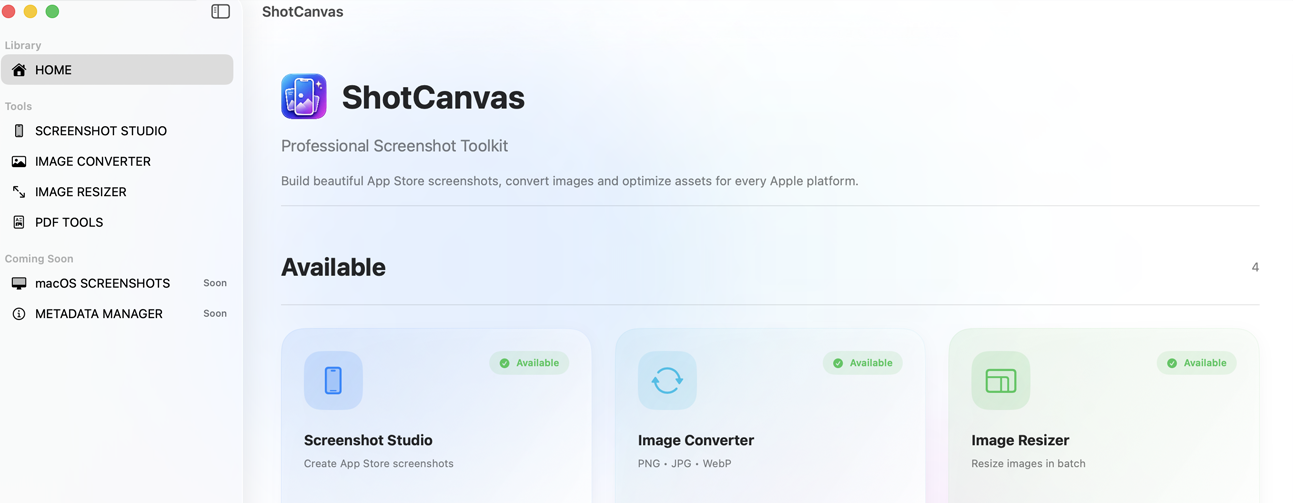
ShotCanvas brings together essential productivity tools into a single, easy-to-use application. No need to install multiple utilities or upload your files to online services.
Everything runs directly on your Mac, keeping your workflow fast and your data secure.


Create beautiful App Store screenshots for iPhone, iPad, and Mac apps. Add professional device frames, backgrounds, titles, and export screenshots ready for App Store Connect.
Reduce image size while maintaining excellent quality. Perfect for websites, mobile apps, email attachments, and faster downloads.
Crop images with precision using predefined aspect ratios or custom dimensions. Ideal for social media, websites, and app assets.
Convert one or multiple images into high-quality PDF documents. Rearrange pages, customize output settings, and export in seconds.
Designed specifically for macOS with smooth performance, modern design, and seamless integration.
DOWNLOAD FROM APPSTOREYes. Most tools work completely offline.
No. All processing is performed locally on your Mac.
Not at all. It's designed for anyone who needs fast and reliable image and document tools.
Absolutely. ShotCanvas is continuously evolving with new productivity tools and improvements.
ShotCanvas is built independently with the goal of creating simple, powerful tools for creators and developers. If you find ShotCanvas useful, you can support its continued development.

Scan the QR code with your payment app
Every contribution helps us improve ShotCanvas and build more useful
tools for macOS.
Thank you for supporting independent software development ❤️
Effective Date: August 2026
Thank you for using ShotCanvas. Your privacy is important to us. This Privacy Policy explains how ShotCanvas handles your information.
ShotCanvas does not collect, store, transmit, or share any personal information.
All screenshots, images, colors, and project data remain on your Mac and are never uploaded to our servers.
The application stores only the settings necessary for its functionality, such as your preferences and workspace configuration. This information remains on your device.
ShotCanvas does not require an internet connection for its core functionality.
ShotCanvas does not use analytics, advertising SDKs, tracking technologies, or third-party data collection services.
If you choose to visit our website or contact us via email, your interaction will be governed by the privacy policies of those services.
We do not sell, rent, or share any user data because ShotCanvas does not collect user data.
ShotCanvas is not directed toward children under the age of 13 and does not knowingly collect personal information from children.
We may update this Privacy Policy from time to time. Any changes will be posted on this page with an updated effective date.
If you have any questions regarding this Privacy Policy, please contact us:
ShotCanvas
Website:
www.shotcanvas.design
Email:
info@shotcanvas.design
Hyderabad, Telagnana, India
support@shotcanvas.design